KB358: How to: View the Moxie End-User License Agreement (EULA)
-
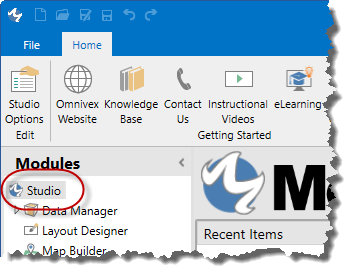
From the Moxie Studio, in the ribbon, click
 .
.
The Studio Options dialog box appears
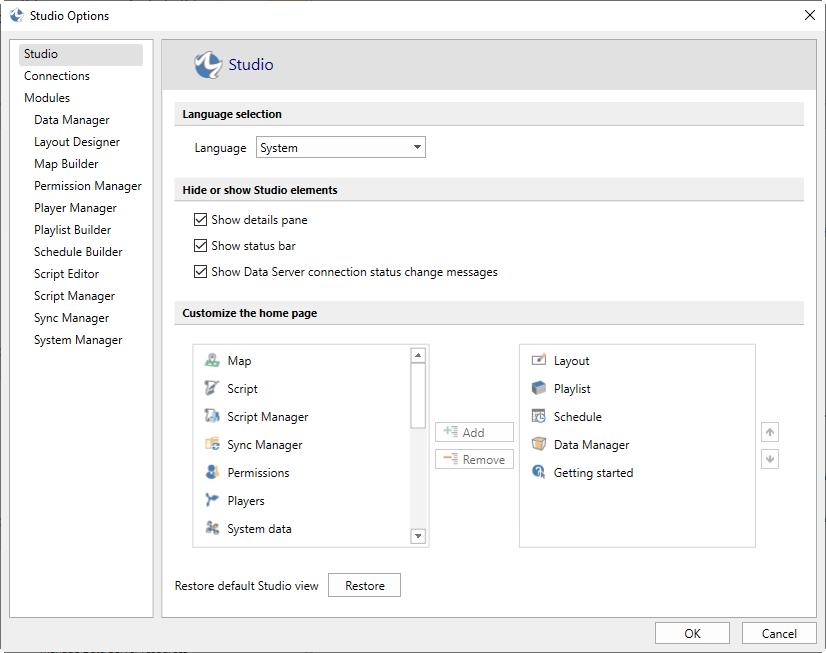
- In the left pane, click Connections.
 .
.
Moxie 7.05.7635 fixes a bug that was inadvertently introduced in earlier Moxie 7.05 releases, as a by-product of some of the performance improvements. When Players with metadata assigned are restarted, at the time of reconnection to the Moxie Data Server, the Server is unable to detect the Player Data and Settings folders, causing it create new ones. However, once the Players finish reconnecting, the old folders still exist, so there are now duplicate folders, causing conflicting settings. This conflict results in symptoms such as:
As of December 31, 2020, Adobe is ending their support of Flash. Browser support for Flash is ending January 1, 2021. In addition, Adobe is actively preventing Flash from running as of January 12, 2021.
Due to this, we anticipate:
This article lists the new features and changes in Moxie version 7.05. It is intended for anyone planning to upgrade their installation of Moxie 7.04. All Moxie components, including Data Server, Player, Studio and services must be upgraded to 7.05 to ensure compatibility.
After upgrading to Moxie 7.04, the Sync Service stops repeatedly.
If the folder the Sync Service is attempting to sync files from or to does not have permissions for the user account under which the Sync Service is running, it'll stop.
Make sure all the folders from which the Sync service syncs files from and to have read and write permissions for the user account under which the Sync Service is running.
When performing a remote Player upgrade from Moxie Studio, one or more Moxie Player upgrades fail with the following error message "Not a valid Omnivex signed upgrade file"
When a remote Player upgrade is initiated, the upgrade file is sent over to the Player PC and its signature is verified to ensure the file is not corrupted. Sometimes, due to certain security reasons if the Player PC can not verify the file's certificate, it aborts executing the installation file.
Note: Moxie 7.03 64-bit does not have video capture
For Moxie 7.03 and lower the tested Video Capture USB devices are:
PCI versions of these devices are 1600 and 1800.
These devices use MPEG-2, which is not installed by default on Windows 10. However, the codecs are available for installation from Hauppauge.
For Moxie 7.04 and higher, the tested video capture devices are:
This article lists the new features and changes in Moxie version 7.04. It is intended for anyone planning to upgrade their installation of Moxie 7.03. All Moxie components, including Data Server, Player, Studio and services must be upgraded to 7.04 to ensure compatibility.
Moxie Player or Studio will restart automatically if certain conditions are encountered such as repeated failures to render video files or when unexpected exceptions are thrown. As part of the Moxie’s process to recover, it will write a timestamped incident log file to C:\ProgramData\Omnivex\System for analysis and then trigger a process restart.
Moxie Player splash screen continuously displays 'Initializing Data Server connection' and does not proceed to displaying content.